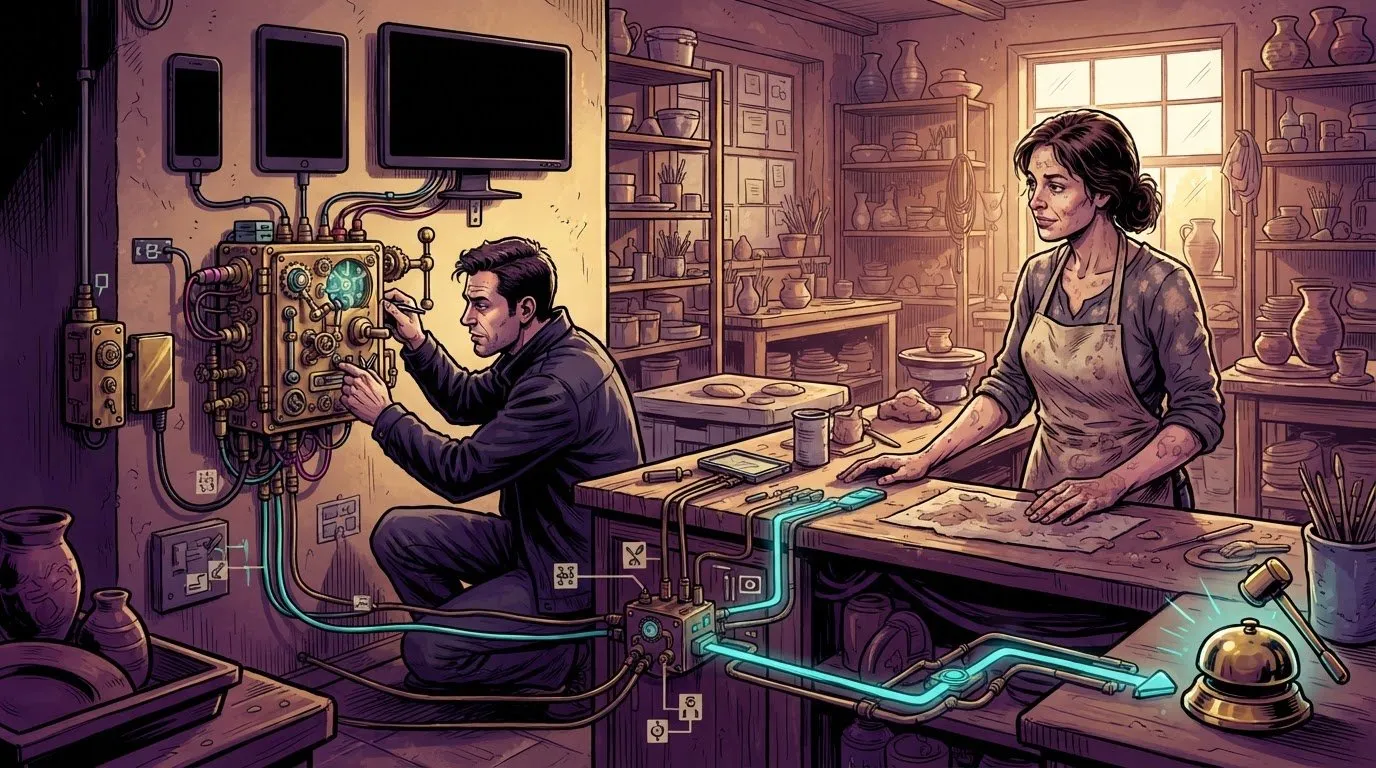
A website problem rarely stays confined to one screen. Website technology support can help diagnose content management system (CMS) faults, resolve display issues across devices, and keep routine maintenance on track.
When a site behaves differently across devices or its CMS stops working as expected, first identify the cause. Then choose a practical fix that addresses the problem without adding unnecessary complexity.
This article explains how support can address CMS and device problems, add features such as contact forms or booking tools, and help you choose website technology. It also covers maintenance and backups, so you can understand what ongoing care involves and when to bring in help.
Key Takeaways
- Trace CMS problems to their source before changing settings or adding tools.
- Test key pages on mobile and desktop so display or access issues are easier to spot.
- Choose contact forms, chat, FAQs, or booking features around how customers need to reach you.
- Base technology choices on your site’s needs, daily workflow, and the effort required to maintain them.
- Plan updates and backups as routine tasks to make website upkeep more predictable.
Table of Contents
- Content management system troubleshooting
- Support for multiple devices and issues
- Adding contact forms live chat booking
- Expert advice on choosing technology
- Routine maintenance, updates, and backups
- Fismbot - Social media and email tools, plus expert support for marketing, websites and technology: Social media strategy bundle
Content management system troubleshooting
Content management systems bring together multiple parts of a website, so a problem may involve more than one component. A page that appears broken may be affected by a recent plugin change, an expired login session, or a network connection. Start troubleshooting by recording what failed, where it happened, and what changed before the problem appeared.
To get technical support for WordPress, Shopify, or another website platform, describe the affected page, the device and browser, and the steps that reproduce the issue. Include any visible error message and the last change made, then share those details through the platform’s support channel or with a website technician.
For example, if a WordPress checkout stops loading, investigate the possible causes in a sensible order:
- Reproduce the fault on the affected page and note the exact action that triggers it.
- Review recent theme, plugin, or settings changes that could affect checkout.
- Test whether the problem appears in another browser or on another device.
- Make one change at a time, then test checkout again.
This method limits guesswork. Changing several settings at once can hide the cause and create new problems. For a commerce site, test the full customer journey, from product selection and cart through payment and confirmation. Avoid placing a live order unless the site has a safe test process.
Take the same care when installing software. Before adding a WordPress plugin or Shopify app, define what it should do and check how it fits the existing site. Install it in a controlled way, review its settings, and test the affected page. If an error appears, record the message and, when safe, undo the latest change. A useful DIY guide names the platform, explains each step, shows how to confirm success, and tells you when to stop rather than keep changing settings.
Not every fault comes from the CMS. If a site will not load, try another device and network, and check whether other websites work. A failed Wi-Fi connection can look like a broken website on one screen. Keeping these checks separate helps narrow down the cause before you change platform settings.
Staff training can help prevent repeat problems. A short walkthrough can show team members how to edit a page, install approved software, and report an error with a screenshot and page name. That information gives a technician a useful starting point. The same publishing workflow can also turn website content into social posts while keeping the original page as the source of business details.
Support for multiple devices and issues
A website can work on one screen and fail on another. Device, browser, hosting, and point-of-sale setup all affect where support should focus.
Browser and device compatibility
Compatibility checks compare the same task across browsers and devices. For example, a product page might display correctly in Chrome on a laptop but hide its checkout button on a phone. Test the pages customers rely on, such as contact, booking, and payment screens. Record the browser, device, page, and action that triggers the problem. These details help a technician identify a repeatable fault instead of guessing.
Mobile testing involves more than checking screen size. A narrow layout can push buttons off-screen, while a slow connection can interrupt image loading or form submission. On a phone, test the menu, text readability, tap targets, and completion of the main task. For a shop using a point-of-sale (POS) system, check whether product details and stock changes appear consistently on the website and till. Separate a website issue from a device or network fault before changing settings.
Response times and service levels
Response time is how soon support acknowledges a request; resolution time is how long the repair takes. A service-level agreement should define priority categories, support hours, update frequency, and how to report urgent faults. A checkout outage and a minor spacing issue need different priorities, so the agreement should explain how each is handled.
Contracts differ in the tasks covered, support hours, cancellation terms, and ownership of work. The agreement should state who owns custom code and design files, who has account access, and what happens to them when support ends.
Before work starts, describe the affected device, browser, page, and business impact. For instance, “the booking form fails on Safari on an iPhone” gives clearer signals than “the site is broken.” A website project brief can record the target outcome, access needs, and agreed scope.
Local and remote availability
Website support in the United States can often be provided remotely when a fault involves a website, hosting account, or browser. Local assistance may be needed when the problem depends on physical equipment, such as a POS terminal or office network. The distinction is practical: online settings can be addressed remotely, while an onsite equipment problem may require someone near the device.
For remote troubleshooting, provide the page address, error message, browser, and steps that reproduce the fault. For an onsite POS issue, note which terminal and connected network are affected. These details help distinguish a website fault from a local device problem and direct the work appropriately.
Adding contact forms live chat booking
A contact form, live chat, FAQ, and booking tool each support a different customer task. Choose the option that fits what visitors need to do, then test the full journey from the page to the business inbox or calendar.
Start with the contact page. Include a contact form, phone number, and email address so visitors can choose how to get in touch. Keep form fields relevant to the next step. A repair enquiry might ask what service is needed and how the customer prefers to be contacted, while a general message form can be shorter. Label required fields clearly and show a useful confirmation after submission.
Test delivery as well as appearance. Submit a sample message from a phone and a desktop browser, then confirm it reaches the intended inbox. Check the spam folder and reply details too. If a customer finds the business through Google and submits a form, the message still needs a clear route to the person handling enquiries. Regularly reviewing submissions can reveal failed notifications or questions the form does not capture.
Live chat and FAQs
Live chat suits visitors who need help while choosing a service or completing a task. Before adding it, decide who will answer, which topics they can handle, and what happens when nobody is available. Without a response plan, a chat window can leave customers waiting. An FAQ may give a faster answer to common questions about delivery or appointment changes.
Build FAQs from real enquiries, not guesses. Group answers by task, such as payments, service details, or changing a booking. Keep each answer focused and link it to the relevant page or action. Review the list when staff notice repeated questions. Google search terms and customer messages can suggest topics, but answers should reflect the business’s actual processes.
Booking tools and follow-up
A booking tool needs a clear sequence: choose a service, select an available time, enter contact details, and receive confirmation. Test each step on a phone, including the time-zone display where relevant. Make cancellation and rescheduling instructions easy to find. Calendar entries should reach the right person and include enough context to prepare for the appointment.
Social media can direct visitors to a booking page or contact form, but the destination should match the post. For example, a post about a consultation should link to that consultation’s booking route, not a generic homepage. Recheck the route after editing a page or form. A simple monitoring routine can catch failed submissions, outdated answers, and broken booking links before they interrupt a customer’s next step.
Expert advice on choosing technology
Choose website technology based on what your site needs to do. A WordPress site for publishing articles has different requirements from a Shopify store processing orders. Start with the main tasks, then choose platforms and infrastructure that support them without creating avoidable upkeep.
Write down the current workflow before comparing providers. A service business might publish service details, receive enquiries, and update opening hours. An online shop might edit products, process checkouts, update stock, and follow up on orders. These tasks show which features matter and which would add complexity without helping customers.
Next, assess the existing site. Record its content management system, hosting provider, connected tools, and custom features. A WordPress site with years of articles may need a different migration plan from a new Shopify store. Check whether staff can handle routine edits and whether current analytics answer practical questions about visits and enquiries.
- Fit: Match platform features to the tasks already documented.
- Access: Identify who controls the domain, hosting, and administrator accounts.
- Connections: List required links to payment, booking, or email systems.
- Upkeep: Include updates, backups, and staff training in the plan.
Hosting and server needs depend on a site’s setup and workload. A basic brochure site has different demands from a shop with product pages and checkout. Ask providers what their hosting plan covers, how access works, and which team handles platform or server faults. Clear answers help you assess whether the technology fits, rather than choosing features that solve no stated problem.
Use analytics to assess a change against its original goal. If the aim is to get more completed enquiries, track form submissions rather than page views alone. If customers struggle to find a service page, review navigation and visits to relevant pages. Decide what evidence would indicate progress before a redesign or migration begins. Analytics can show activity, while staff feedback can explain why a task remains difficult.
Finally, compare the effort involved in changing technology with the work it would remove. Moving from WordPress to Shopify may simplify product and order management for a commerce site, but migration still involves content, redirects, settings, and staff training. Keep the choice tied to documented needs. A short project brief can capture goals, access, constraints, and decisions before providers estimate the work.
Carefully evaluate the scope and cost of the work. WordPress powers over 40% of websites, so its broad use may make it a familiar option, but popularity alone does not establish that it suits a particular project. Compare the day-to-day tasks, required connections, staff confidence, and upkeep burden against the alternatives. Ask each provider to show how the proposed setup handles the workflows in the brief, including routine changes and recovery when something goes wrong.
Before approving a direction, confirm who will make the final decision, who will manage the site, and what support will be available after launch. Record why you chose the platform, including any compromises or unresolved questions. If a proposal includes features that were not part of the original requirements, ask what problem they address and what extra work they involve. This keeps the decision practical and gives the team a clear basis for reviewing whether the technology continues to meet the business’s needs.
Routine maintenance, updates, and backups
Website care combines several distinct jobs. A clear maintenance plan names each task, its owner, and how changes are checked.
Routine maintenance tasks
Hosting keeps website files available on a server. Maintenance covers planned upkeep, while technical support diagnoses and resolves specific problems. For a WordPress site, these tasks might include managing the hosting account, checking forms, and fixing an error that blocks publishing.
A useful routine follows the site’s actual features. For an online store, review product pages, checkout, payment notifications, and order emails. For a service site, test enquiry forms, booking links, and contact details. Record completed work and any faults found so recurring issues can be tracked rather than rediscovered.
- Review important pages and customer actions.
- Remove unused accounts and check administrator access.
- Review security alerts and hosting notices.
- Confirm backups can be restored when needed.
Updates and backups
Updates can change how a WordPress theme, plugin, or core feature behaves. Apply changes in a controlled sequence, then test key pages and forms. If an update disrupts checkout, a recent backup can provide a recovery point while you investigate the cause.
A backup should include the files and database needed to rebuild the site. Store copies separately from the live website, and define who can access them. Test the restore process: a backup that cannot be opened or restored is not a dependable recovery plan. Handle sensitive customer information with appropriate care and access controls.
Cybersecurity checks should cover account access, software updates, suspicious changes, and backup recovery. Repeated unfamiliar login attempts or an unexpected administrator account, for example, deserve investigation. Website support can also outline how to report a suspected compromise, who can suspend access, and how to restore the site.
Support and maintenance costs
Website support and maintenance costs in the United States depend on the work covered, site complexity, and response arrangements. A simple site needing occasional updates differs from a commerce site with custom features, payment flows, and frequent changes. Compare scopes, not just monthly totals: list included maintenance, support limits, backup handling, and any separately billed project work.
Ask for the agreement to distinguish recurring upkeep from new development. Updating existing service text may count as maintenance, while building a new booking workflow may require project work. The written scope should also explain cancellation terms, account access, and ownership of custom work when the agreement ends.
For a practical review of website upkeep and development needs, See how we can help.
Fismbot - Grow your business: AI social content and email tools, plus expert support for marketing, websites and technology that just works: Social media strategy bundle
Fismbot provides AI social content and email tools, along with marketing, website, and technology services. Its DFY Web Design, SEO & Website development offering supports businesses planning or improving a website. The Social media strategy bundle can help organise social content around the site, while the Social media scheduler supports planning and scheduling posts. Each option serves a different need: choose web development for a new or revised site, or social strategy for a clearer publishing plan. For practical help with your website or marketing plans, contact Fismbot.
Set a clear next step for your website
Before making another change, decide what a better-running website would help your team do. You might want to publish without workarounds, make it easier for customers to submit enquiries, or simplify routine updates. A short list of priorities gives website technology support a practical starting point and keeps later decisions tied to the work your business needs.
It also gives you a useful way to judge progress. Describe the current obstacle, the task it interrupts, and what should happen instead. Keep that description alongside the decisions about your site, so future changes have a clear purpose. If your plans also involve improving the website or coordinating it with marketing, Fismbot can help you consider a practical next step. See how we can help. You can move forward at a pace that suits your business, with a clearer view of what needs attention first.
Frequently Asked Questions
What services are included in website technology support?
Depending on the issue, support can include diagnosis, implementation, and clear handover notes. After a fault is fixed, for example, a useful handover records what changed and which site function was affected. This helps staff understand the outcome and gives future support requests a starting point. Some work may also involve coordinating a technical change with the person responsible for the site’s content or business operations.
How do I choose a website support provider or managed service plan?
Start by reviewing the website issues your business actually encounters. A site needing occasional one-off changes may suit project-based help, while frequent recurring requests may call for an ongoing plan. Ask how requests are received, how progress is shared, and how completed work is recorded. These details show whether the arrangement fits your team’s habits or adds another process nobody has time to follow.
What routine website maintenance tasks prevent downtime and security issues?
Review the links and redirects visitors use to reach important pages, especially after content changes. A link to an old service page can leave customers at a dead end even when the site is online. Also check connected tools, such as appointment calendars or payment services, when their settings change. A simple record of these checks can reveal recurring issues and outdated paths before they confuse visitors.
What should I do if my website is down, slow, or showing errors?
Avoid repeating actions that could create duplicate orders or bookings. If checkout is affected, pause new transactions until their status is clear. Tell visitors how to reach the business through a working channel, and note which customer tasks are affected. This helps limit confusion while the technical cause is investigated, especially if part of the site still works. Once service returns, review any enquiries or transactions that may need follow-up.